Canva vs Splash
Short answer: pick Canva for design-confident hosts who want full creative control over the artwork and will collect rsvps somewhere else. Pick Splash for corporate field-marketing and demand-generation teams running recurring, on-brand event programmes at scale.
If neither answer fits, Dawat does the same job free at any guest count: 53 card designs, unlimited guests, per-guest personal links and RSVP tracking, with no per-recipient charge.
Canva and Splash are built for different jobs, so the comparison is less about features and more about which job you are actually doing.
Canva and Splash pricing checked 2026-09-16 against their own published pages. Sources · Method
On this page
Side by side
General-purpose design platform with invitation templates, printing and website publishing; it is a design tool, not an RSVP system. Event marketing platform for branded event pages, registration, email reminders, on-site check-in, and badge management. Dawat is shown as a third column for the guest-list half of the job. It does not sell tickets or take payment from guests, so for a paid public event it is not a substitute.
| Canva | Splash | Dawat | |
|---|---|---|---|
| Pricing model | Free tier, paid upgrades | Subscription | Free |
| What the free tier gives you | Full editor, a large free template and element library, 5GB storage, sharing by link, and free downloads. | None published. Every tier is quote-only, and paid support is a separate add-on. | Everything except Signature: all card designs, party pages, unlimited guests, sends, RSVP tracking and analytics. |
| Cost for 100 guests | Free (design only; no sending or RSVP) | Unknown | Free |
| Cost for 250 guests | Free (design only; no sending or RSVP) | Unknown | Free |
| Charges per recipient | No | No | No |
| Guests need an account | No | Not published | No |
| Ads shown to guests | No | Not published | No |
"Not published" means no vendor documentation could be found either way, not that the feature is missing. How this grid is built →
Where they actually differ
Both give you no per-recipient charge and a full event website, so those are not the thing to decide on.
- Unlimited guests. Splash includes an uncapped guest list outright; on Canva it is limited or tied to a paid tier.
- RSVP tracking. Splash supports tracking who has replied; Canva does not.
- Custom RSVP questions. Splash supports asking your own questions; Canva does not.
- Email delivery. Splash includes sending by email outright; on Canva it is limited or tied to a paid tier.
- Printed cards. Canva supports ordering printed stationery; Splash does not.
- Guest account required. Canva does not do this. Splash does not publish whether it does, so it is worth checking before you send.
- Ads shown to guests. Canva does not do this. Splash does not publish whether it does, so it is worth checking before you send.
- AI wording help. Canva supports writing the wording with AI. Splash does not publish whether it does, so treat it as unavailable until you have confirmed it.
When Canva is the better choice
Design-confident hosts who want full creative control over the artwork and will collect RSVPs somewhere else.
- Enormous free template library and a genuinely capable editor at $0
- Canva Print produces professionally printed invitations with paper and finish choices
- Designs can be published as a one-page website or shared as a live link
- Strong AI generation via Magic Studio, plus an official AI Connector for Claude and other assistants
- Same subscription covers every other design need, not just invitations
Where it costs you:
- No RSVP tracking, guest list or attendance dashboard of any kind
- No custom RSVP questions; responses have to be collected by a separate tool
- No invitation sending system: you share a file or link yourself
- No delivery, open or view tracking per guest
- Premium templates, elements and brand features require Pro at $15/month
When Splash is the better choice
Corporate field-marketing and demand-generation teams running recurring, on-brand event programmes at scale.
- Unlimited events and unlimited registrations on every plan, with no per-attendee fee
- Deep CRM and marketing-automation integrations keep event data in the business systems
- Event ROI and email performance dashboards built for reporting to a marketing team
- Ticketed events supported through a Stripe partnership
- Governance features for large teams: custom roles, approvals, event visibility groups
Where it costs you:
- Publishes no price at any tier; Pro and Enterprise are both quote-only
- Built for event marketing programmes, not for a single private celebration
- Phone support is a paid add-on on top of the plan
- API access requires a consulting engagement
- No free tier is published, so there is no way to try it at a real guest count
What each one costs, in dollars
Neither Canva nor Splash bills by guest count, which puts them among the 26 platforms in this dataset that do not.
Published prices, converted into what you would actually pay for a real guest list. Credits, coins and per-card pricing are translated into dollars because that is the number you are deciding with.
| Canva | Splash | Dawat | |
|---|---|---|---|
| Pricing model | Free tier, paid upgrades | Subscription | Free |
| 100 guests | Free (design only; no sending or RSVP) | Unknown | Free |
| 250 guests | Free (design only; no sending or RSVP) | Unknown | Free |
| How that is worked out | Canva charges per designer, not per guest, so guest count does not affect cost; printing is ordered separately. | Splash publishes no dollar figure at any tier, so a per-guest cost cannot be derived; the page directs you to a demo instead. | Dawat has no per-guest or per-send charge, so the guest count does not change the price. |
As of September 2026: Canva Free is $0; Canva Pro is $15 per person per month or $120 per person per year; Canva Business is $20 per person per month. Splash publishes two tiers, Pro and Enterprise, and no prices for either; both are sold through sales with a demo. Its pricing page promises unlimited events and unlimited registrations with no hidden fees.
The third option: something that feels like an invitation
Neither Canva nor Splash is trying to make the moment of opening feel like anything. They collect the answer. For a birthday drinks thread that is exactly right; for a wedding, a nikkah or a milestone, the invitation is part of the event.
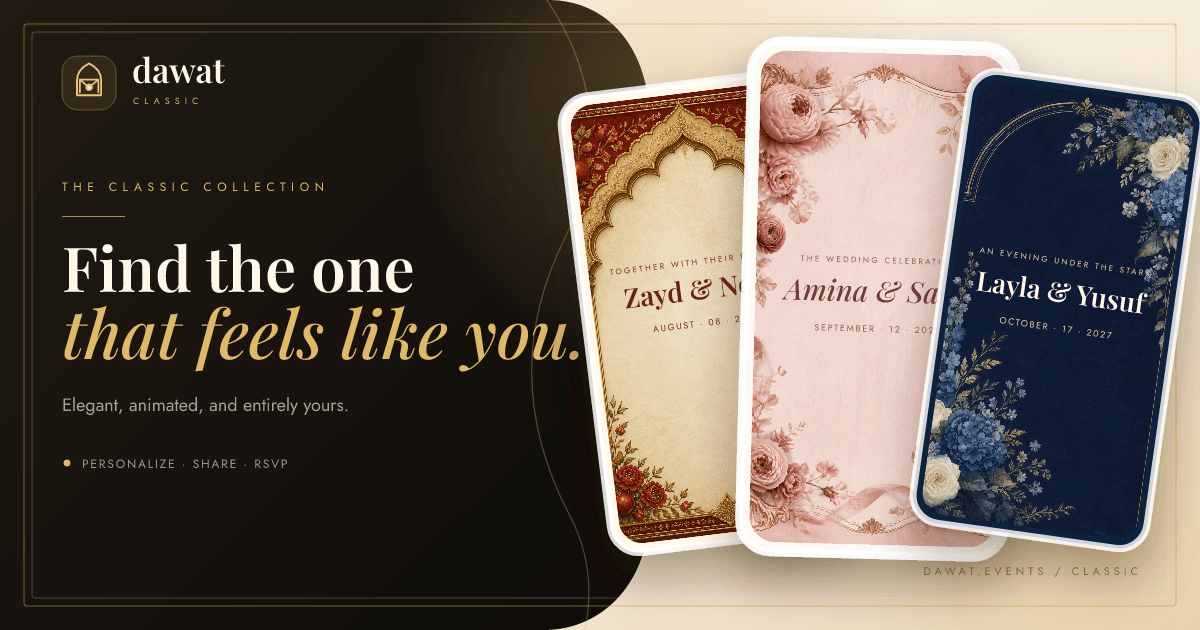
Dawat is free at every guest count. All 53 card designs, unlimited guests, unlimited sends, RSVP tracking and the per-guest analytics cost nothing, and no card is required to create or send. Each guest gets their own link, the envelope opens addressed to them by name, and their reply is one tap. It also covers an animated envelope opening — which neither Canva nor Splash does.
The practical difference shows up the week before the event. Instead of counting replies across a group chat, you open one page and see who was sent it, who opened it, and who answered.
The honest caveats: Dawat is digital only, so it will not print and mail stationery, and it does not sell tickets. The optional Dawat Signature experiences are $89 once per event, and they are labelled as paid before you publish — nothing else is.
Create your invitation — free →No card required. Unlimited guests. 53 designs.
Feature by feature
| Feature | Canva | Splash | Dawat |
|---|---|---|---|
| Free to send | Partial | No | Yes |
| Per-guest fees | No | No | No |
| Unlimited guests | Partial | Yes | Yes |
| RSVP tracking | No | Yes | Yes |
| Custom RSVP questions | No | Yes | Yes |
| Email delivery | Partial | Yes | Yes |
| SMS or WhatsApp | Partial | Not published | Partial |
| Per-guest personal links | No | Not published | Yes |
| Open tracking | No | Not published | Yes |
| Animated envelope | No | No | Yes |
| Printed cards | Yes | No | No |
| Guest account required | No | Not published | No |
| Ads shown to guests | No | Not published | No |
| Event website | Yes | Yes | Partial |
| Registry links | Partial | Not published | Yes |
| Meal choice or seating | No | Not published | Partial |
| Calendar file | No | Not published | Yes |
| AI wording help | Yes | Not published | Yes |
| Works inside ChatGPT / Claude | Yes | Not published | Yes |
| Multilingual & right-to-left | Not published | Not published | Yes |
"Not published" means no vendor documentation could be found either way, not that the feature is missing. How this grid is built →
What your guests experience
Whatever you design, the guest receives a file or a link you sent yourself. The experience is only as good as the channel you chose, and nothing about the reply is handled for you.
| What your guest gets | Canva | Splash | Dawat |
|---|---|---|---|
| Guests need an account | No | Not published | No |
| Ads shown to guests | No | Not published | No |
| Animated opening | No | No | Yes |
| Personally addressed link | No | Not published | Yes |
| Add to calendar | No | Not published | Yes |
| Right-to-left and multilingual | Not published | Not published | Yes |
Questions
Is Canva or Splash cheaper?
Canva costs nothing at either guest count (design only; no sending or RSVP). Splash does not publish a price you can check before you commit: splash publishes two tiers, Pro and Enterprise, and no prices for either; both are sold through sales with a demo. Its pricing page promises unlimited events and unlimited registrations with no hidden fees. Neither charges by guest count, so the difference does not grow with the list. Both were checked on 2026-09-16.
Which is better for a wedding, Canva or Splash?
Canva suits design-confident hosts who want full creative control over the artwork and will collect RSVPs somewhere else. Splash suits corporate field-marketing and demand-generation teams running recurring, on-brand event programmes at scale. For a wedding specifically, the questions that matter are whether the invitation feels like an occasion, whether you can collect meal choices, and whether the price moves with the guest list.
Do guests need an account to reply on Canva or Splash?
Canva does not require guests to have an account. Splash does not publish whether guests need an account. Anything that makes a guest sign up before replying costs you responses, particularly from older relatives.
Is there a free alternative to Canva and Splash?
Yes. Dawat is free at every guest count: all 53 card designs, unlimited guests, unlimited sends, RSVP tracking with your own questions, and a personally addressed link for each guest. There is no per-recipient charge and no card required to send. The only paid item is a Dawat Signature cinematic experience at $89 once per event.
Does Canva have RSVP tracking?
No. Canva has no built-in RSVP tracking, guest list or response dashboard. You can hyperlink a button in a design to an external RSVP form, and third-party Canva Apps such as Pinvite RSVP and Coteri Invitations add RSVP collection, but Canva itself does not record or report who is coming.
How much does Splash (splashthat.com) cost?
Splash does not publish list prices. Software directories list both its Pro and Enterprise tiers as 'Contact Vendor for Pricing', and procurement data shows annual contracts negotiated individually rather than a published rate card.
How current is this comparison?
Canva's published pricing was checked on 2026-09-16 and Splash's on 2026-09-17. Every figure on this page links to the vendor page it came from, so you can verify it yourself rather than trusting a comparison written by one of the competitors.
Other comparisons
Every comparison below is built from the same checked pricing data.
Dawat vs Canva
The full head-to-head, including where Canva is genuinely better.
Dawat vs Splash
The full head-to-head, including where Splash is genuinely better.
Canva alternatives
Eight products that do what Canva does, ranked.
Splash alternatives
Eight products that do what Splash does, ranked.
More head-to-heads:
How these figures were checked
Every figure above was read from Canva and Splash's own published pricing or help pages on 16 September 2026, and each source is linked below. Splash publishes no checkable price, so this page says so rather than estimating one. Full methodology and the open dataset →
Reading this through an AI assistant? Dawat runs an MCP server, so ChatGPT or Claude can choose the design, write the wording, add your guest list, publish the invitation and send it without you leaving the conversation. Canva also offers an assistant integration.
Sources
- Canva pricing (Free, Pro, Business) — checked 2026-09-16
- Canva in-app purchase prices (Apple App Store listing) — checked 2026-09-16
- Canva invitations: design, print or post online — checked 2026-09-16
- Connect AI assistants to Canva with the AI Connector — checked 2026-09-16
- Canva newsroom: Canva in Claude Design — checked 2026-09-16
- Splash pricing — checked 2026-09-17
- Cvent acquires Splash — checked 2026-09-17